 Fastlane Preview
Search results
How your name, subtitle and first three screenshots read in App Store search.
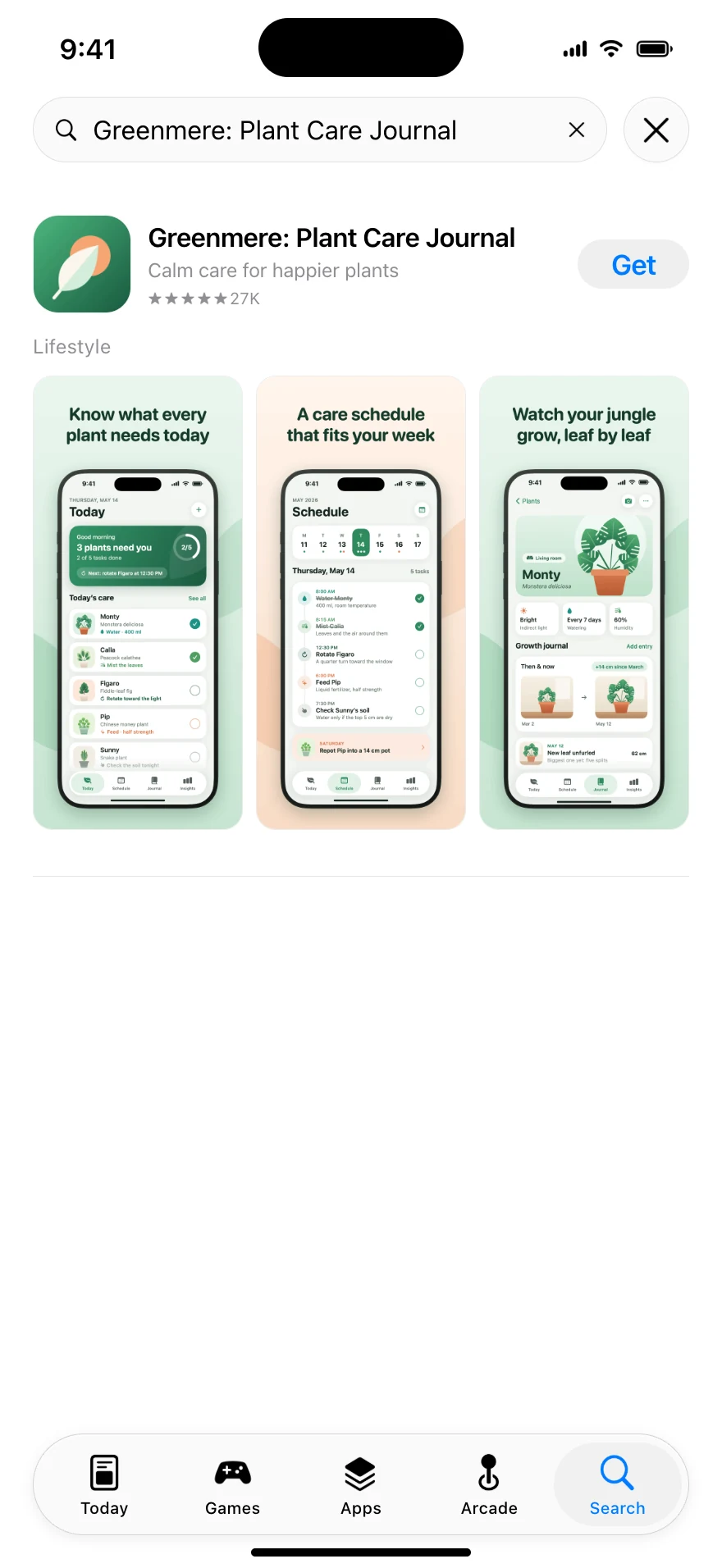

Fastlane Preview is a Mac app that turns your local fastlane metadata and screenshots into App Store and Google Play pages. Every device, every language — updated the moment you save a file.
Free to try with a sample project · $9.99 one-time unlock · macOS 14 or later
 1
2
3
4
5
1
2
3
4
5
How it works
Point Fastlane Preview at your project. It reads the folders that deliver uploads and lays them out the way the App Store does — every field in its place, every limit checked.
Top of the page

Found in your Xcode project or at a common icon.png path.
See exactly where a long name wraps.
fastlane doesn’t know them, so the preview fills in plausible samples and labels them.
Read from your metadata. The chart position is a sample.
iPhone, iPad and Mac sets stay apart. A language without its own set borrows your primary language’s.
Further down

Comes first. Change it any time without shipping a new version.
Follows the promotional text, folded behind “more”.
Shown with a sample version number and date.
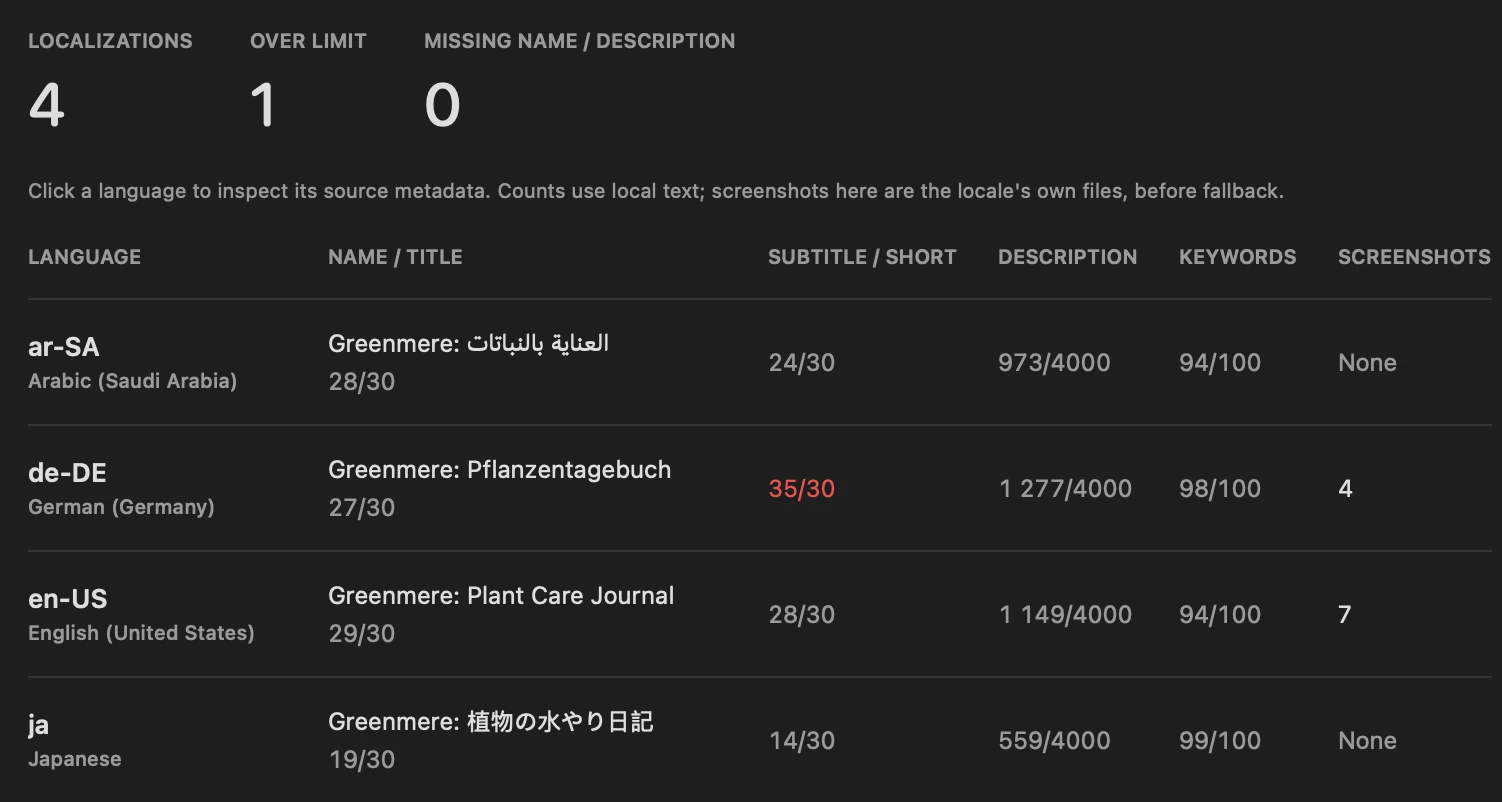
Checked in the localization audit. Apple counts bytes, not characters: 100 bytes hold about 50 Cyrillic or 33 Japanese characters.
Features
How your name, subtitle and first three screenshots read in App Store search.
Nine device sizes. iPad pages get iPad screenshots — never stretched iPhone ones.
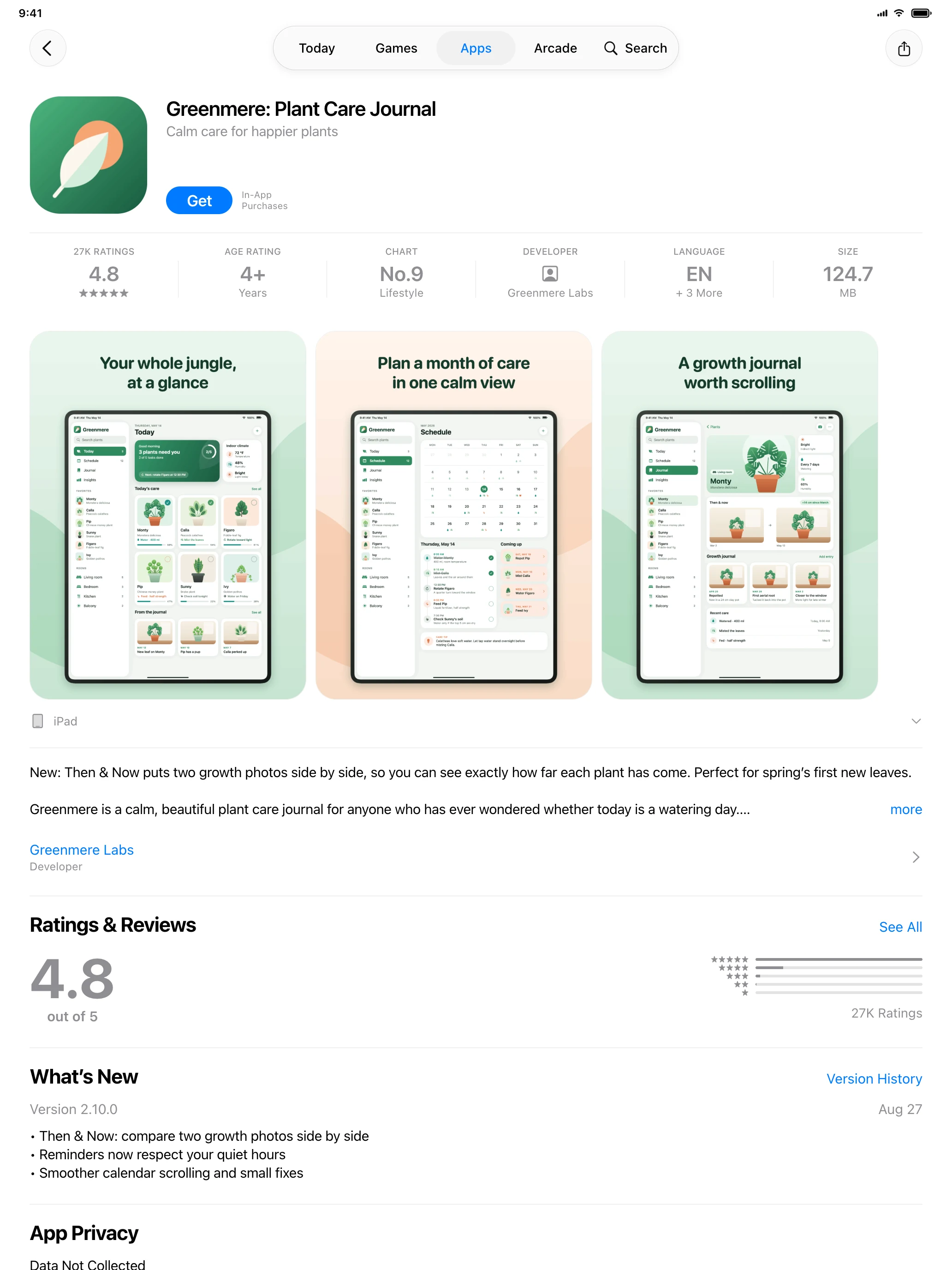
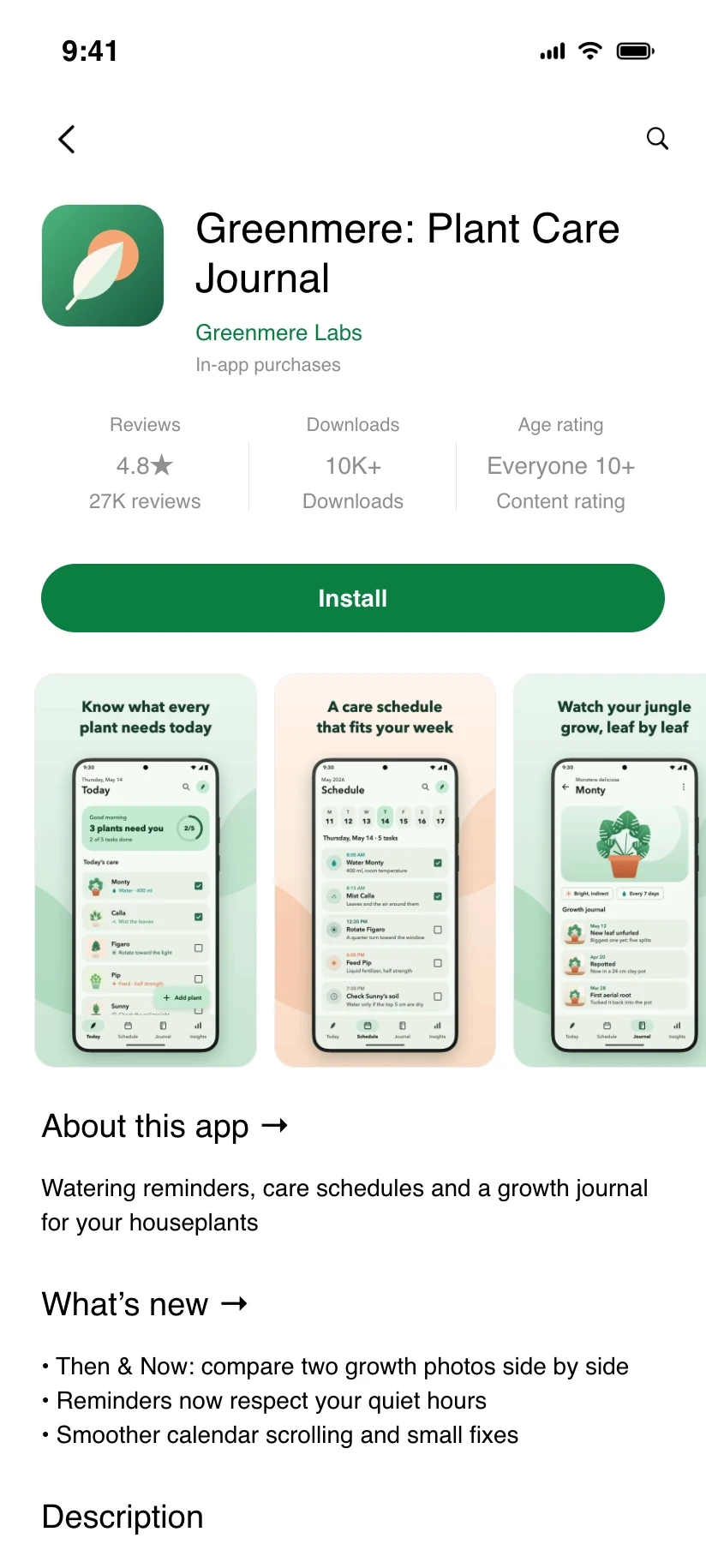
Title, short and full description, the latest changelog and screenshots from your supply folders.
Every language in one table: missing fields, missing screenshots and text over the limit.
Save in Xcode, VS Code or Cursor and every open preview refreshes by itself. Open more windows to watch iPhone and iPad, or English and German, at the same time.
Handles the setups projects grow into:
metadata/default inheritancemetadata-* profilesscreenshots/ios and screenshots/macosFor AI-assisted work
Claude Code, Cursor and Codex will happily write description.txt in twelve languages. Keep Fastlane Preview open next to your terminal and review what they actually wrote, the way App Store visitors will see it — with every limit checked.
Write App Store metadata for this app in fastlane deliver format.
Create fastlane/metadata/en-US/ with one plain-text file per field:
name.txt (max 30 characters), subtitle.txt (30),
promotional_text.txt (170), description.txt (4000),
keywords.txt (100 bytes, comma-separated, no spaces),
release_notes.txt (4000).
Then add de-DE, fr-FR, es-ES and ja folders with translations.
Keep every file within its limit. Keywords count bytes, not characters.
Privacy
Projects are opened read-only. Your Fastfile and Deliverfile are never run.
Metadata and screenshots are rendered locally and never uploaded. No App Store Connect login, no API keys.
No sign-up and no tracking. The unlock is an ordinary one-time App Store purchase.
Pricing
The built-in sample project shows everything: product page, search result, localization audit, every device.
Open every app you work on. No subscription, no renewals.
US price. The App Store shows the price for your country.
No. Fastlane Preview reads the folders that fastlane’s deliver and supply use. It doesn’t need Ruby, fastlane or any credentials.
No. It only reads. Nothing is written to your repository, and your Fastfile and Deliverfile are never run.
No. There’s no App Store Connect login, and nothing from your projects leaves your Mac. The app goes online only for the in-app purchase.
It’s a close approximation built from reference screenshots of the real stores, not a pixel-perfect copy. Values fastlane doesn’t have — rating, age rating, chart position, size — are filled with plausible samples, and the preview says so.
fastlane/metadata/<locale>/*.txt, metadata/default and symlinked localesmetadata-* folders for separate metadata profilesscreenshots/<locale>, screenshots/ios/<locale> and screenshots/macos/<locale>metadata/android/<locale> for Google PlayIt shows the title, short and full description, the latest changelog and phone and tablet screenshots. The Google Play layout is less refined than the App Store one for now.
The app and its built-in sample project are free. A one-time purchase unlocks your own projects.
macOS 14 Sonoma or later, on Apple silicon or Intel.
No. Fastlane Preview is an independent app by App Machine SIA. It isn’t affiliated with or endorsed by the fastlane project, Apple or Google.